
Editorial slot: September 19, 2026. Published on September 19, 2026 after review.
If your endpoint dashboard is green, you know that it received a status report. You do not yet know whether a protected setting resists tampering, whether a sensor sends useful evidence, or whether an analyst will act on an alert. A defensible endpoint review connects four observations: the device is onboarded, the effective policy is correct, a controlled tamper check demonstrates the local block, and a separate safe detection test reaches a person through the alert path. This guide uses Microsoft Defender for Endpoint as a concrete example; the evidence model also works with other endpoint products.
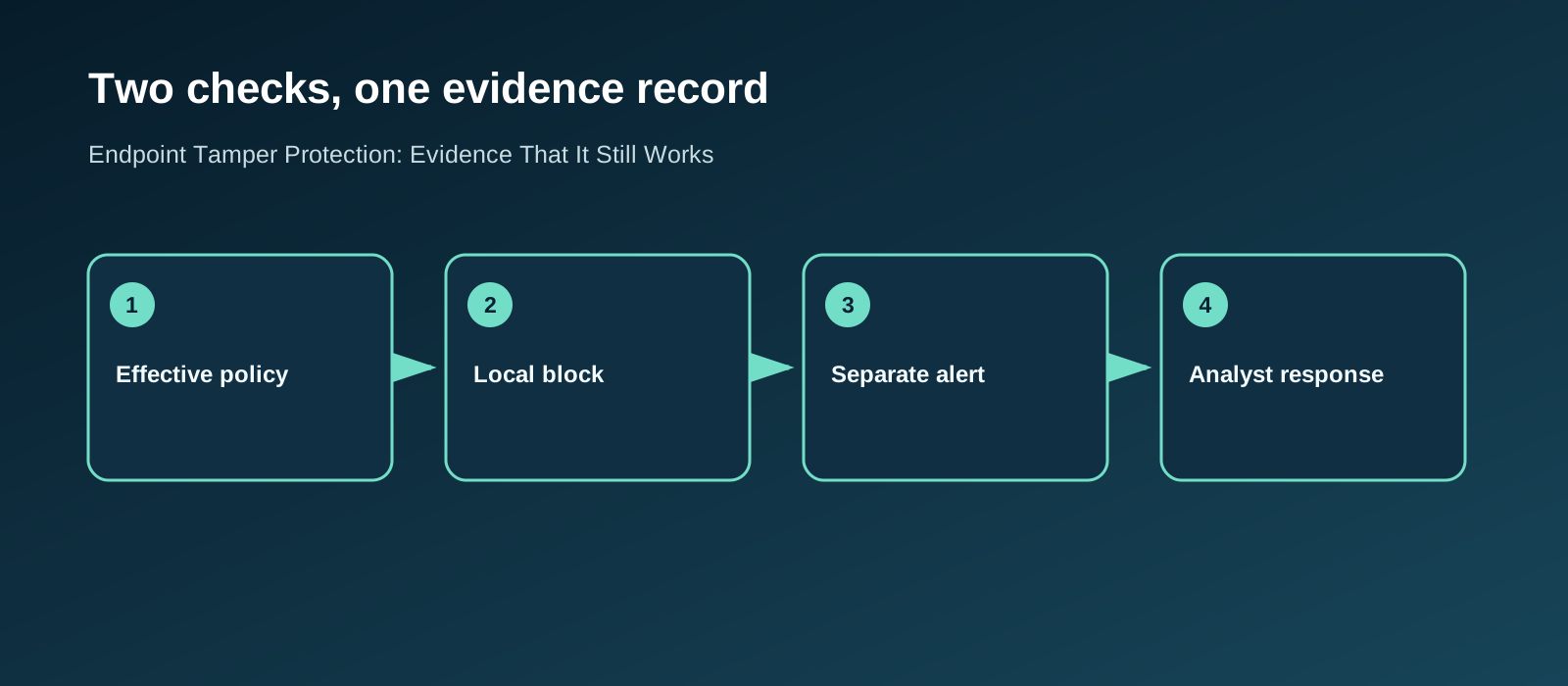
Define the claim before running a test
Write down exactly what the checks should prove. “EDR works” is too broad. Use two claims: “On this managed Windows workstation, a controlled attempt to change a protected antivirus setting is blocked and produces the documented local evidence”; and “a separate benign detection scenario produces an alert that the operations team receives and investigates within our agreed time.” Specify the device group, policy owner, test window, permitted actions, expected local evidence, expected alert, and person who will accept each result.
Microsoft describes tamper resiliency as a combination of device health, central management, least privilege, prevention, and detection. A setting on one device is only one part of that picture. Its guidance lists several kinds of potential tampering alerts, but a particular test should be judged against its documented expected result, not against a promise that every tampering attempt creates the same alert. Microsoft's tamper-resiliency guidance is a useful basis for scoping this claim.
| Question | Evidence to keep | Stop condition |
|---|---|---|
| Is the device in scope? | Device ID, OS, onboarding and management state | Device absent from inventory or policy scope |
| Is protection effective? | Policy assignment and device-reported state | Portal setting disagrees with the endpoint |
| Was the protected change blocked? | Timestamped local event and tamper-check record | Protected setting changes unexpectedly |
| Did the separate detection test alert? | Portal alert linked to the same device and test time | No matching alert within the agreed window |
| Was there a response? | Case owner, decision and closure evidence | Alert is ignored or closed without explanation |
Verify the effective state on the endpoint
Start with a representative managed device and capture the policy that should apply. On Windows, Microsoft's configuration guidance says Get-MpComputerStatus | Select-Object IsTamperProtected, RealTimeProtectionEnabled can show the current tamper and real-time protection states. The documentation also warns that a Group Policy change to a protected setting can appear successful while tamper protection blocks its effect. Compare the local result with the assigned central policy, and record both rather than treating a configuration screenshot as proof of effective protection. Windows tamper-protection configuration
Check onboarding and sensor health separately. Microsoft says its Device Health report distinguishes active, inactive, impaired-communication, and no-sensor-data states. An inactive or silent device cannot support a claim that its alerts will reach the operations team. Record the report time, filter, and device identifier; investigate gaps before testing. A device that is missing from the report may need an onboarding or inventory fix, not a tamper-policy change. Defender Device Health report
Use a controlled signal, then trace its path
Run two distinct, approved checks on a test device or a tightly controlled production device. First, verify a protected setting resists a benign change and inspect its local record. Second, choose a documented detection demonstration that is expected to produce a portal alert, and trace that alert through the response queue. Microsoft publishes harmless demonstration scenarios for several protection areas. Their expected observations differ, so retain the exact instructions and agree who will watch for each result. Do not disable a production sensor or run an unapproved payload merely to see whether the console notices. Defender demonstration scenarios
For the tamper-protection check, record whether the protected change was blocked and what the endpoint logged. Microsoft says Windows Defender Antivirus Event ID 5013 identifies a change blocked by tamper protection and names the setting involved. A 5013 event is useful local evidence. A benign blocked change need not generate a standalone portal alert; Microsoft says some activity may instead remain in the device timeline or advanced hunting. Decide beforehand whether the expected central artifact is a timeline event, hunting record, custom detection, or documented vendor alert. Judge this check against that expectation, not an assumed alert. Microsoft's event guidance, tamper-resiliency guidance
Have the monitoring team walk through the separate detection demonstration's alert as it normally would. Did it reach the right queue? Was the device owner identifiable? Did the analyst distinguish a planned test from an unauthorized attempt? Was the escalation rule followed? This demonstrates the specified detection and response route; it does not establish tamper-specific alert coverage. If that coverage is required, use a documented safe tamper-alert scenario or an approved custom detection with its own expected signal and response record. A local blocked change proves enforcement, even when it produces no standalone alert. Capture response times as observations from this exercise, not as a general product guarantee.
Check exceptions and maintenance paths
An exception can make an otherwise correct policy irrelevant to a critical host. Review exclusions, unsupported devices, stale onboarding, and temporary troubleshooting sessions against an approved inventory. Microsoft's troubleshooting guidance says a device must be onboarded before portal or Intune tamper settings apply, and its documentation describes additional requirements before antivirus exclusions are protected. Verify those prerequisites on the actual device group. Do not infer that all exclusions are protected because the main tamper switch is on. Troubleshooting tamper protection
When a legitimate maintenance task requires a temporary change, use an approved troubleshooting window with a named owner and an expiration time. Microsoft says changes to tamper-protected settings made in troubleshooting mode are temporary and revert when the mode ends. Verify that the normal state returns, the device remains healthy, and the exception has not silently become permanent. Troubleshooting-mode behavior
Close with a repeatable acceptance record
The final deliverable is a small evidence pack: scope and separate expected results; effective policy and sensor state before the checks; both approved methods; local tamper-block evidence and its expected central artifact; separate detection alert and response ticket; any mismatch; owner and retest date. If a check fails, classify whether the problem is policy delivery, endpoint state, telemetry transport, alert routing, or analyst handling. Each has a different fix. The site's penetration-test preparation guide helps define scope and authorization for a controlled exercise; reporting and risk helps connect failed controls to a decision maker.
Do not turn one passing laptop into a claim about an entire estate. Repeat the check across meaningful device groups, operating systems, management paths, and high-value systems. Recheck after a policy change, onboarding migration, major endpoint update, or monitoring workflow change. The practical question is whether each important class of device still protects, reports, and receives a response.
FAQ
Is a green dashboard enough to prove protection?
No. It is evidence of a reported state at a point in time. Pair it with effective device policy, a controlled signal, and a recorded response. Investigate devices that are inactive or have impaired communications before treating aggregate coverage as complete.
Does Event ID 5013 prove that an analyst was alerted?
No. It shows a blocked local change to a protected Microsoft Defender Antivirus setting. The expected central artifact may be a timeline or hunting record rather than an alert. Prove the response route with a separate documented alert-producing test, and test tamper-specific alerting only against an approved scenario that should produce it.
Should we disable the endpoint agent to test resilience?
Use the vendor's approved demonstrations and a documented change window. An uncontrolled agent shutdown can interrupt protection and may not exercise the alert path you intend to validate. Agree on the expected signal and recovery criteria first.
Want to learn more about this topic? Read my expertise page on Evasion & EDR →

Comments
No comments yet. Be the first!
Leave a Comment